01 Other projects · Quipcuts
Long videos in, captioned vertical shorts out.
Quipcuts (started as OpenClip) is an open-source take on tools like Opus Clip, built in October 2026. Upload a video or paste a YouTube link and it transcribes it word by word, asks an LLM for the strongest 30–60 second moments, reframes each one to 9:16 around the speaker's face and burns in captions that highlight the word being spoken. Every clip then opens in an editor: trim to the word, add a hook and a call to action, restyle the captions and add punch-in zooms on the loudest moments. The clip-picking model is an open-weights one (qwen3:8b), so it runs with no API key.
Free beta: sign in, then 3 videos a day up to 15 minutes each. Processing runs on a Modal GPU that sleeps when idle, so the first job waits about a minute and a half for it to start; a 4-minute video then takes about two minutes. Clips and uploads are deleted after 7 days.
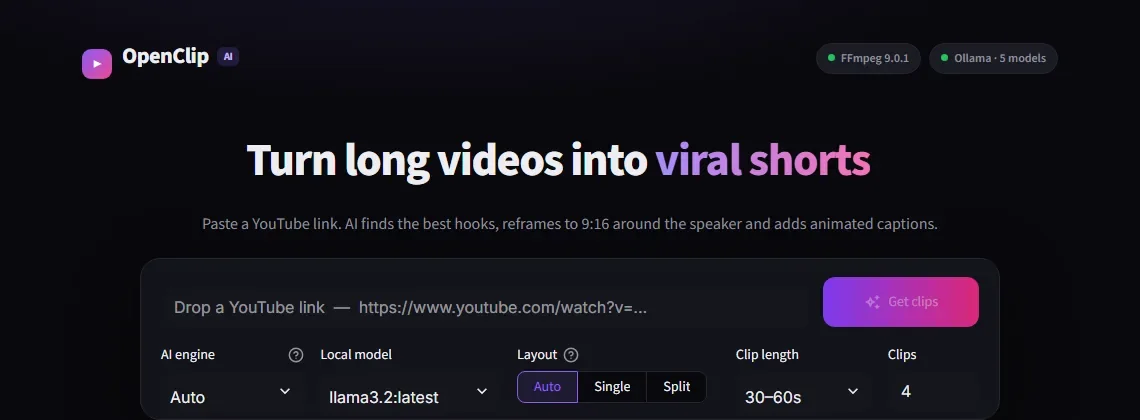
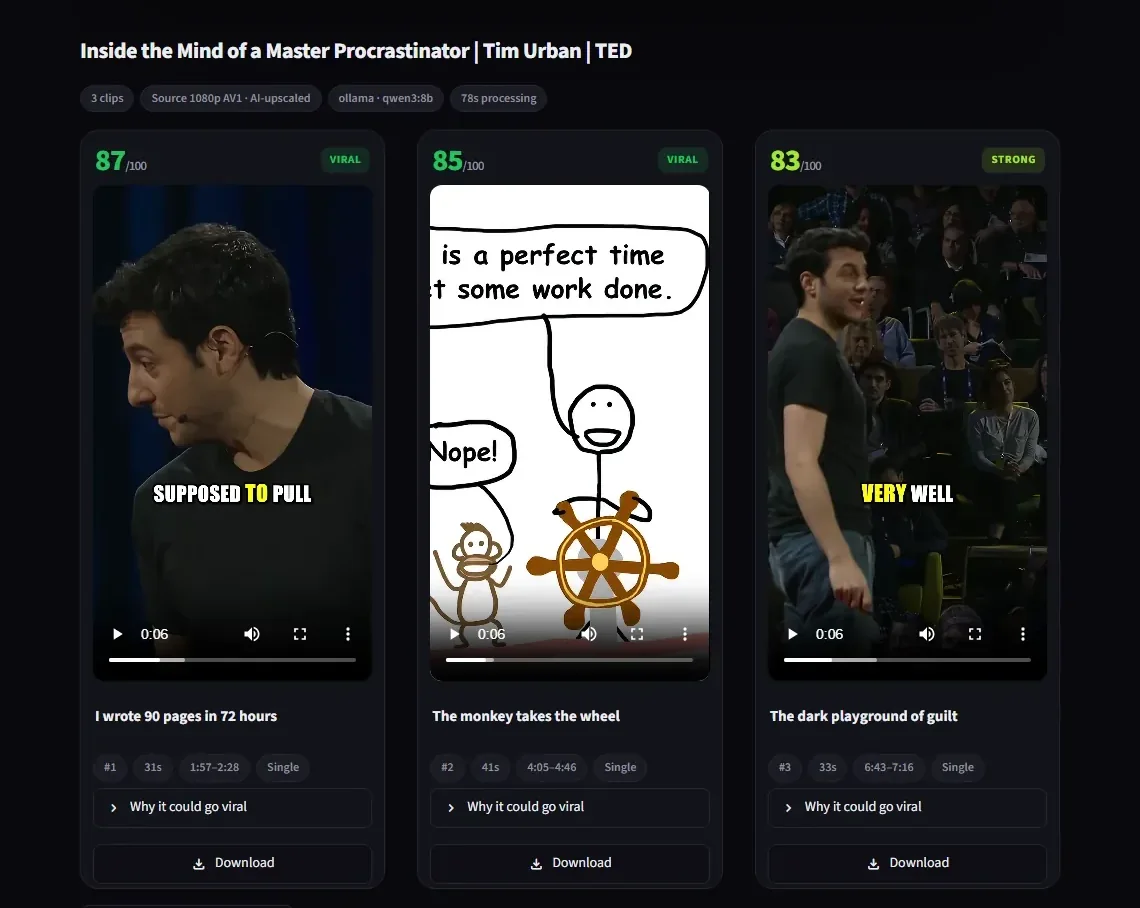
How it works
yt-dlp, capped at 1080p
Separate MP4 video and M4A audio, merged by FFmpeg, plus a 16 kHz mono WAV for transcription. An FFmpeg check runs first and the UI shows setup steps if it is missing.
faster-whisper, word timestamps
Every word gets a start and end time, which later drive the captions. Falls back to CPU when the CUDA libraries are not installed.
Local LLM, structured output
Ollama by default (or any cloud model through LiteLLM). Small models often return broken JSON, so the parser repairs trailing commas, Python-style literals, unquoted keys and cut-off replies, then sends its errors back to the model for one retry.
Face tracking per shot
OpenCV's YuNet detector samples 5 frames a second. Scene cuts are found from colour histograms, and the crop is smoothed within each shot so it doesn't drift across a cut.
One FFmpeg pass
The crop path is fed to FFmpeg's sendcmd as a list of timed commands, and an .ass subtitle file highlights the active word in yellow.
YouTube upload, private first
Optional upload through the YouTube Data API with titles trimmed to fit and #Shorts added. Uploads start private and can be scheduled one a day over a week.
Two speakers: split screen
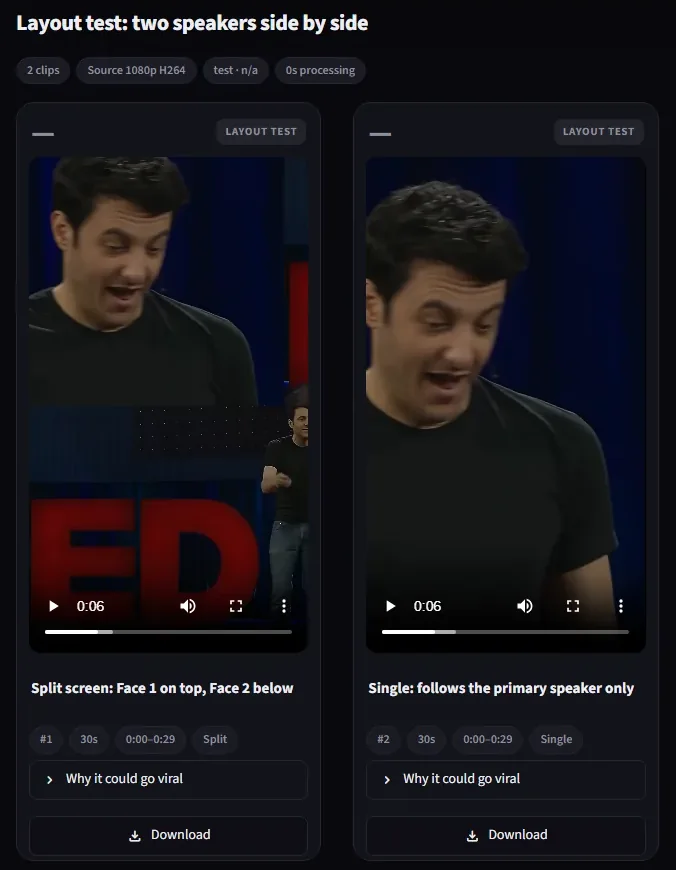
For interviews and podcasts, Quipcuts tracks two faces separately and stacks them: Face 1 in the top half, Face 2 in the bottom, each a 1080×960 crop with its own path. Faces are matched frame to frame by distance, and frames with more than four faces (audience shots) are ignored so a face in the crowd can't take over a panel.
In Auto it chooses split only when both faces are visible in at least 60% of the clip.
Tested so far on a synthetic video: two TED clips placed side by side. The figure shows its main weakness: when a face goes undetected for a whole shot, that panel can frame the wrong area. Here the bottom panel shows the stage logo instead of the second speaker's face.
Limits
- hosted appOne GPU, one job at a time.Jobs queue when several people use it at once. YouTube links are fetched by a downloader that runs off the cloud, because YouTube blocks cloud servers, and it isn't always online; uploads always work.
- model sizeClip quality depends on the model.A 3B model finds fewer and weaker moments than an 8B one. A cloud model through LiteLLM is the best option when you have a key.
- untestedYouTube upload hasn't run against a live channel.The code is written and needs your own Google Cloud OAuth client.
02 Other projects · ballsim
Physics simulations, rendered straight to YouTube Shorts.
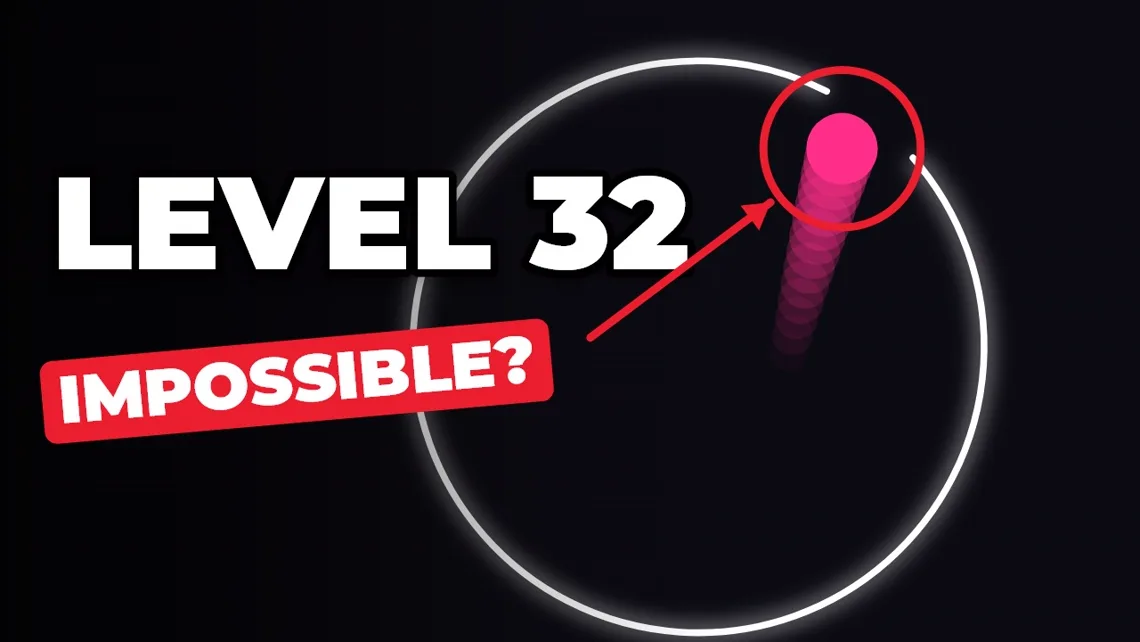
ballsim renders the videos on GG Replay, a YouTube channel of "will the ball escape?" style simulations, started in October 2026. A scene is a short TOML file: the mode, the ring, the ball, the camera effects, the captions and the sound. ballsim simulates it at a fixed 600 steps a second, so the same seed always gives the same video, then draws every frame with Skia and encodes it with FFmpeg, adding a note of music on each bounce. A browser editor previews a scene live while you change it.
A personal tool: the code is private and it has one user, the channel's owner. ballsim uses YouTube API Services; using it means agreeing to the YouTube Terms of Service.

What it does
20 scene types
Escape the ring, shrinking and spinning shapes, floor-is-lava, many-ball battles, and the colliding blocks that count the digits of π. Each is a small Python class on a shared physics core.
Shorts, long-form and 3D
9:16 Shorts, 16:9 level compilations that ramp up the difficulty and write their own chapter list, and 3D marble races rendered in Blender.
Insights and uploads
Reads the channel's own numbers from the YouTube Analytics API (views, how many viewers stayed, retention), records which scene made which video, and uploads finished videos through the YouTube Data API.
How ballsim handles YouTube account data: privacy policy · terms of service.